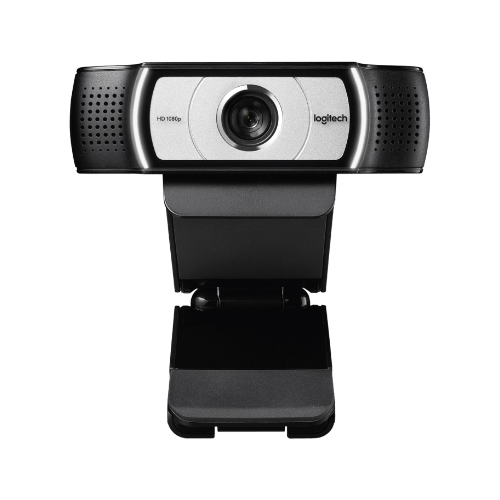
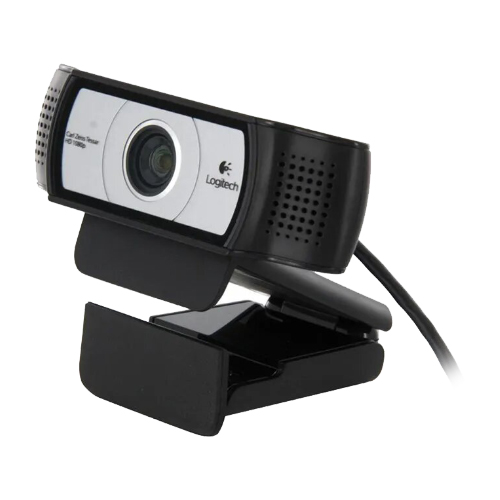
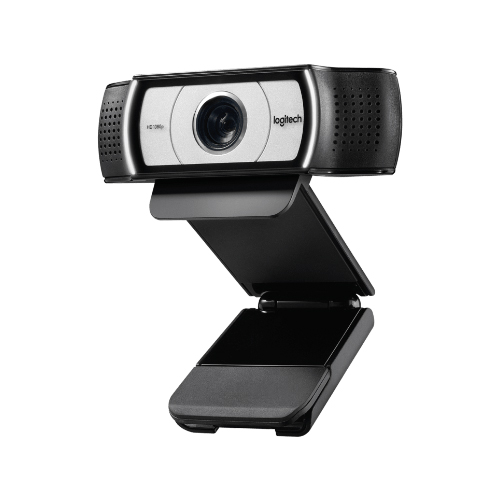
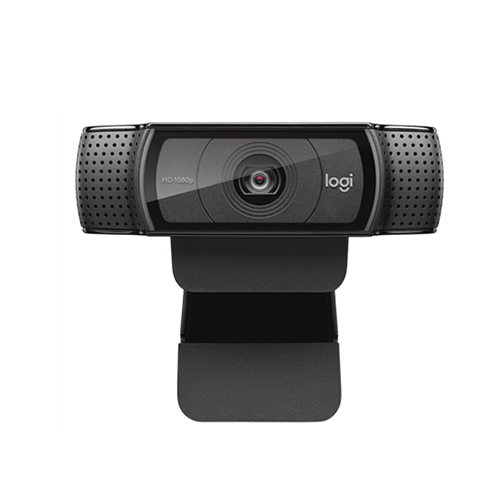
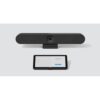
Logitech C930e 1080p Webcam
DIMENSIONS
INCLUDING FIXED MOUNTING CLIP
Height: 1.69 in (43 mm)
Width: 3.70 in (94 mm)
Depth: 2.80 in (71 mm)
Cable length: 5 ft (1.5 m)
Weight: 5.71 oz (162 g)
TECHNICAL SPECIFICATIONS of Logitech C930e 1080p Webcam
Multiple resolutions
1080p/30fps (up to 1920 x 1080 pixels)
720p/30fps (up to 1280 x 720 pixels) with supported clients H.264 video compression
Camera mega pixel: 3
Focus type: Autofocus
Lens type: Glass
Built-in mic: stereo, dual omni-directional
Mic range: Up to 3ft (1 m)
Diagonal field of view (dFoV): 90°
Digital zoom: 4x
USB connectivity: USB-A plug-and-play
Rightlight 2 Technology for clarity in various lighting environments, even low light
Optional Camera Settings application for control of pan, tilt, and zoom
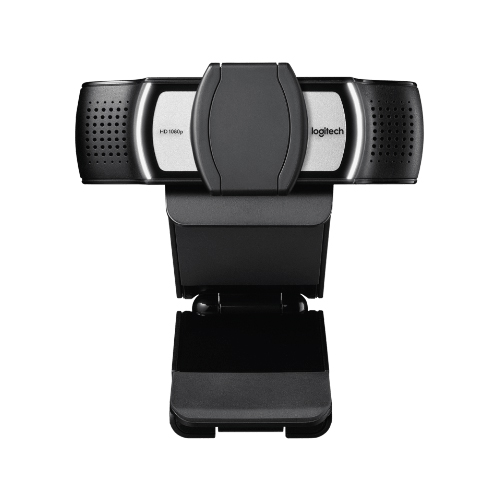
Attachable privacy shutter
Tripod-ready universal mounting clip fits laptops, LCD or monitors 1Tripod not included
PACKAGE CONTENTS
Webcam with 5ft (1.5 m) attached USB-A cable.
Attachable privacy shutter.
User documentation.
-
Compatibility and System Requirements
This article is relevant for the following Logitech products Webcam C930e Webcam C925e B525 HD Webcam Business Webcam C920e Business Webcam C505 Which video conference software or application can I use with my Logitech webcam? Logitech webcams are built to offer the best audio and video performance across a large variety of video conferencing applications (including Google Meet, Microsoft Teams and Zoom). Video and audio will work with any application that supports the USB Video Class (UVC) standard, which is pretty much any video conferencing software. Once the device is recognized by your operating system, the video conferencing application should automatically recognize your webcam and it’s components (microphone and speaker). Logitech does not offer conferencing software. Logitech webcams will work with any USB-enabled computing systems (One USB-A port) that run the operating systems and versions listed below: Operating Systems Compatible with C930e, C925e, C920e and C505 Windows 10 or later macOS X 10.7 or later ChromeOS Version 29.0.1547.70 or later Operating Systems Compatible with B525 HD Webcam Windows 8 or later Please note that factors such as CPU speed and memory on your computing system can impact video performance. Important computing system considerations Using a non-powered USB hub may degrade headset performance. We recommend plugging the camera USB directly into a USB port on the computer. Some factors such as CPU speed and memory on your computing system can impact video performance. Logitech personal collaboration cameras are natively supported by Windows, macOS and ChromeOS through USB (UVC standard) and don’t need additional software. -
Getting Started – Webcam Setup
This article will guide you through a few simple steps in order to set up your personal collaboration camera, including the following devices: Webcam C930e Webcam C925e B525 HD Webcam Business Webcam C920e Business Webcam C505 Logitech webcams are designed for simple, plug-and-play functionality. Follow these steps to get started: Connect the Webcam: Plug the USB cable into your computer’s USB port. Automatic Installation: The operating system will install the necessary drivers. Supported Operating Systems (Windows, macOS, and ChromeOS) will identify and install the appropriate drivers automatically. Ready to Use: Once the drivers are installed, the webcam is ready for use with your favorite video conferencing applications. If your webcam is one of the following models: C930e,C925e, or C920e, you can install the Logi Tune software for advanced settings, device management and smooth firmware updates. -
C930e Webcam Quick Start Guide
See the attached PDFs for initial setup and mounting instructions. -
Purchasing Business Product Spare Parts and Accessories
To purchase spare parts, please visit Logitech Spare Parts and Accessories. For customers in Japan: Please visit the dedicated Logicool Japan Spare Parts page. You can purchase accessories directly from Logitech or from a local reseller. Note: Availability of spare parts may vary by country. Please check with your reseller or place of purchase if you are not able to purchase spares from us directly. -
Specifications – Webcam C930e
Logitech Webcam C930 features a wide field of view – 90-degrees – in a desktop camera and is the first with HD 1080p H.264/SVC UVC 1.5 encoding that frees up PC bandwidth with on-camera video-processing. With pan, tilt and zoom functions and Rightlight™ 2 technology, this webcam delivers a professional desktop video collaboration across video conferencing applications. Product Information Component: Webcam Model Number (M/N): V-U0031 S/N Location: S/N – On cable tag Dimensions Height: 1.69 in (43mm) Width: 3.7 in (94 mm) Depth: 2.80 in (71 mm) Weight: 5.71 oz (162 g) Attached USB-A Cable Length: 5 ft (1.5 m) Compatible Video Conferencing Applications Most UVC Standard-based video conferencing applications. Webcam Specifications Connection Type: Attached USB-A Cable Video Resolution: 1080p/30fps (up to 1920 x 1080 pixels) 720p/30fps (up to 1280 x 720 pixels) with supported clients H.264 video compression Camera megapixels: 3MP Focus type: Autofocus Lens type: Glass Mic range: Up to 3 ft (1 m) Diagonal field of view (dFoV): 90° Digital zoom: 4x Additional Specs RightLight 2 auto light correction for clear image in various lighting environments ranging from low light to direct sunlight. Supports H.264 UVC 1.5 with Scalable Video Coding for a smoother video stream in applications. -
Personal Workspace Devices in Logi Tune
Logi Tune software allows you to manage and monitor your personal workspace devices and gives you deeper customization for your Logitech docks, headsets and webcams such as FoV, audio equalizer and meeting alerts. A full list of Logitech devices supported by Logi Tune can be found here. To view your Logitech devices in the Logi Tune desktop application you’ll need to have the latest version of Logi Tune which can be downloaded here. Once Logi Tune is updated your supported Logitech devices will automatically appear under My Devices. -
Do I need to install a driver for my webcam?
This article is relevant for the following cameras: Webcam C930e Webcam C925e B525 HD Webcam Business Webcam C920e Business Webcam C505 At setup, no additional software is required, Logitech webcams are plug-install devices. If your webcam is one of the following models: C930e,C925e, or C920e, you can install the Logi Tune software for advanced settings, device management and smooth firmware updates. If your device is not listed above and you’re having firmware-related issues, visit the Logitech Support site and find your product to download and install Camera Settings, for smooth management and firmware updates. -
Speed up Windows setup
This article is relevant for the following cameras: Webcam C930e Webcam C925e B525 HD Webcam Business Webcam C920e Business Webcam C505 This may occur the first time you connect a new device to a computer. It will take some time for all the drivers to be downloaded initially, but will go much faster any subsequent time you reconnect the camera or move ports. If you